
Ford Focus Owners Manual: Information messages
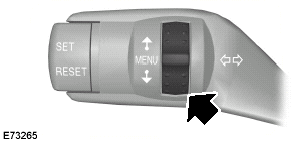
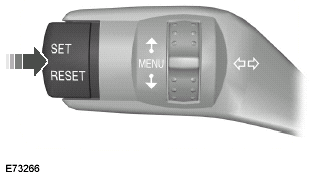
Press the SET/RESET button to acknowledge and remove some messages from the information display.
Other messages will be removed automatically after a short time.
Certain messages need to be confirmed before you can access the menus.

Message indicator
The message indicator illuminates to supplement some messages. It will be red or amber depending on the severity of the message and will remain on until the cause of the message has been rectified.
Message symbols

See Owner’s handbook.

Have the system checked at the next service.

Have the system checked as soon as possible.

Stop your vehicle as soon as it is safe to do so.
Viewing current messages
Type 2 and 3
1. Use the rotary control to enter the main menu.
2. Highlight Messages and press the SET/RESET button.
3. Use the rotary control to view the current messages.
4. Press SET/RESET to acknowledge the message and exit the menu.
Convertible top
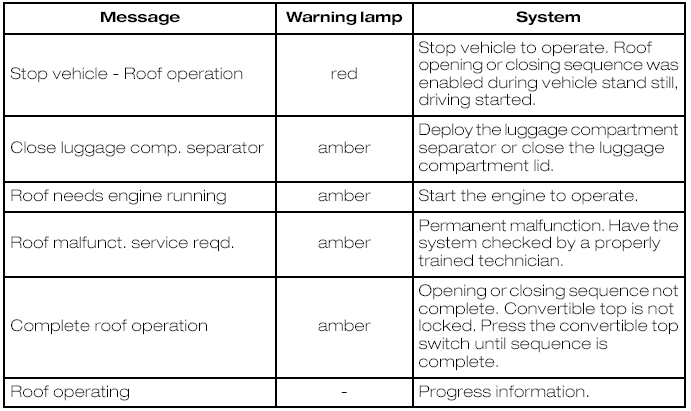
Doors open
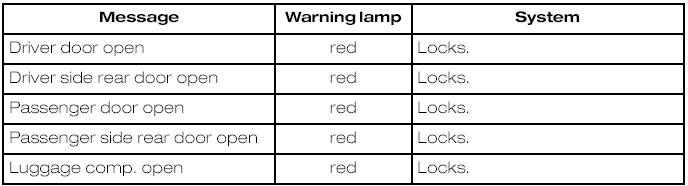

Keyless system
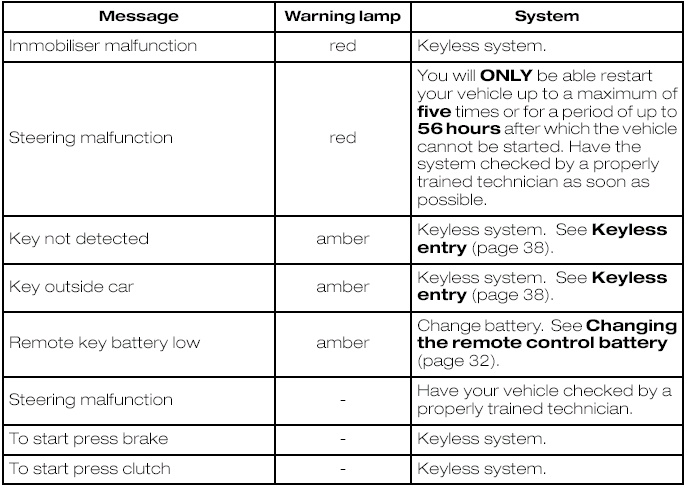
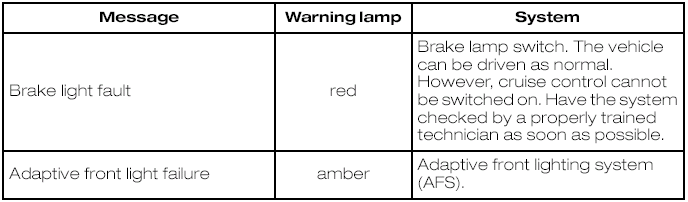
Lighting
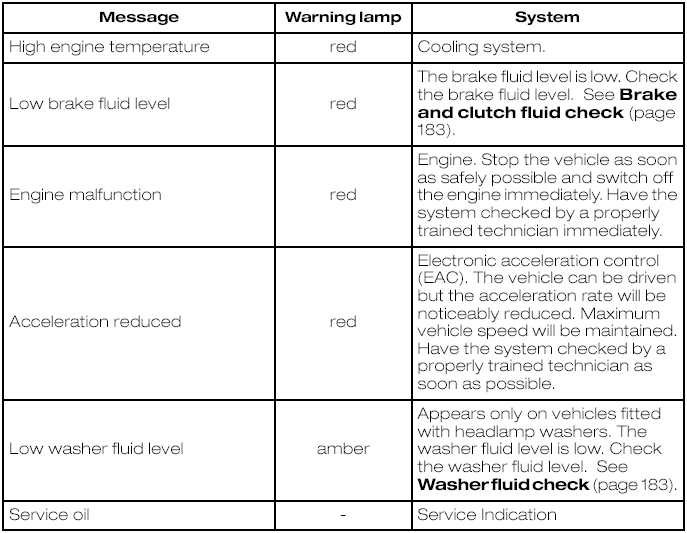
Maintenance
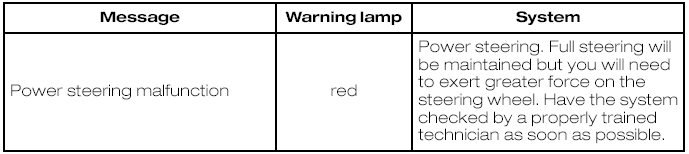
Power steering
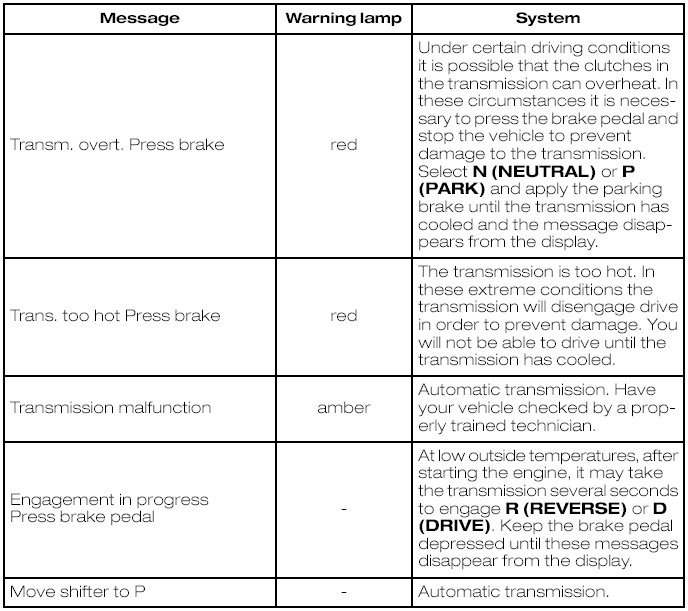
Transmission
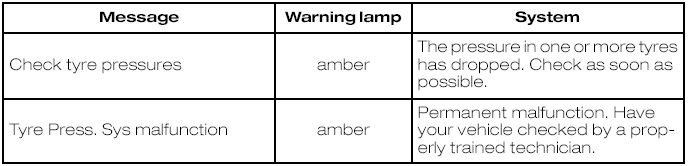
Tyre pressure monitoring system
Stability control (ESP)

 Personalised settings
1. Use the rotary to enter the main
menu.
2. Press the SET/RESET button to
choose a sub-menu and adjust the
settings.
ESP
Select this option to activate or deactivate
ESP.
1. Use the rotary ...
 Climate control
...
More about Ford Focus:
Ford Focus Valve Cover
Material
Item
Specification
Motorcraft® Metal Surface Prep
ZC-31-A
—
Motorcraft® Silicone Gasket and Sealant
TA-30
WSE-M4G323-A4
Valve Cover (View 1 of 2)
Item
Part Number
Description
1
14A464
Ca ...
Nissan Frontier - Instrument Panel - Keys - Brake system
