



Nissan Frontier: Instruments and Controls - Electronic locking rear differential (E-Lock) system switch
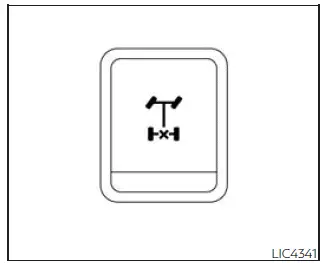
The Electronic Locking Rear Differential, also known as the E-Lock system, can provide additional traction when the Nissan Frontier is stuck or is beginning to lose forward movement in difficult off-road conditions.
To activate the E-Lock system:
- The 4WD switch must be in the 4LO position (4-Wheel Drive vehicles),
- The vehicle must be stopped or moving at 4 mph (7 km/h) or less, and
- The E-Lock system switch must be turned on.
When the E-Lock switch is turned on, the indicator light flashes until the system is fully engaged. If the required operating conditions listed above are not met, or if the system disengages, the indicator light will continue to flash instead of remaining steadily illuminated.
When the E-Lock system is active, the Anti-lock Braking System (ABS) is disabled and the ABS warning light comes on. The Vehicle Dynamic Control (VDC) system is also disabled, and the VDC light illuminates while the E-Lock system is operating. This behavior is normal for this traction feature, but it also means the Nissan Frontier should be driven with extra care.
WARNING
- Never leave the E-Lock system on when driving on paved, dry, or hard-surfaced roads. When turning, the rear wheels may slip, which can cause a loss of control, an accident, and personal injury. After using the E-Lock system to free the Nissan Frontier, turn the system off immediately.
- Use the E-Lock system only when freeing a stuck vehicle. Try the 4LO position before using the E-Lock
system.
Never use the E-Lock system on a slippery road surface such as snow or ice. Using the E-Lock system in these conditions may cause unexpected vehicle movement during engine braking, acceleration, or turning, which can result in an accident and serious personal injury.
CAUTION
- After using the E-Lock system, turn the switch off to help prevent possible damage to driveline components caused by extended operation.
- Do not drive faster than 12 mph (20 km/h) while the system is engaged. Exceeding this speed may cause driveline damage.
- Do not turn on the E-Lock system while the tires are spinning. Activating it under those conditions could damage drivetrain components.





