



Nissan Frontier: Instruments and Controls - Emergency Call (SOS) button
Emergency support
Basic Information
NissanConnect Services provide a variety of connected services designed to assist Nissan Frontier owners during emergency situations and unexpected incidents.
For example, if the driver or an occupant experiences a medical emergency or serious injury, assistance can be requested by pressing the in-vehicle Emergency Call (SOS) button. Once connected to the NissanConnect Services Response Center, trained specialists can determine the vehicle's location using GPS technology and coordinate assistance from emergency responders, law enforcement agencies, or other appropriate services.
For information regarding additional NissanConnect Services emergency-support functions, contact the NissanConnect Customer Support line at 1-855-426-6628 or visit the NissanConnect Services website. Availability of services may vary depending on region, subscription status, and network coverage.
WARNING
- Please note that the Automatic Collision Notification service and Emergency Call function cannot be used
in the following conditions:
- Emergency functions and services will not be available without an active paid subscription to NissanConnect Services.
- The NissanConnect Services network system is disabled.
- The vehicle moves outside the service area where the TCU (Telematics Control Unit) can connect to the network.
- The vehicle is outside an area with available cellular network coverage.
- The vehicle is located in an area with poor signal reception, such as tunnels, underground parking structures, behind large buildings, or in mountainous regions.
- The communication line is busy.
- The TCU (Telematics Control Unit) or other related vehicle systems are not functioning properly.
- Depending on the severity of a collision or emergency situation, an emergency call may not be possible.
- Always park the Nissan Frontier in a safe location and apply the parking brake before operating the Emergency Call (SOS) button.
- Use this service only for genuine emergencies. Improper or unnecessary use of emergency services may result in penalties.
- Radio-frequency signals may affect certain types of medical equipment. Individuals using pacemakers should consult the device manufacturer regarding possible effects before operating the system.
- The TCU (Telematics Control Unit) antenna is installed inside the upper central section of the instrument
panel.
An occupant should not remain closer to the antenna than the distance specified by the pacemaker manufacturer. Radio waves emitted from the TCU antenna may interfere with pacemaker operation while NissanConnect Services are being used.
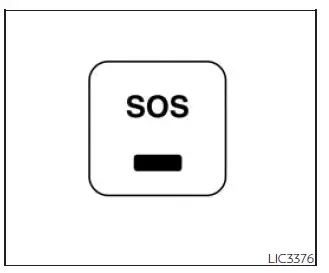
Making an emergency call
The Emergency Call (SOS) button in the Nissan Frontier is located near the overhead map lights for quick and convenient access during urgent situations.
1. Press the Emergency Call (SOS) button to initiate an emergency call.
2. Once the connection has been established, speak directly with the Response Specialist and provide any relevant information regarding the emergency.
If you decide to cancel the emergency call before the connection is completed, press and hold the Emergency Call (SOS) button for several seconds.
NOTE:
- After pressing the Emergency Call (SOS) button, it may take some time for the Nissan Frontier system to establish a connection. Connection speed depends on network availability, signal strength, and whether the TCU (Telematics Control Unit) is currently being used by other services.
- An indicator light on the Emergency Call (SOS) button displays the operational status of the emergency support system. If the light is not illuminated, pressing the button will not connect the vehicle to a Response Specialist. The indicator light flashes while communication with the NissanConnect Services Response Center is active.
- Even when the indicator light is illuminated, connection to the NissanConnect Services Response Center may not always be possible. In a critical emergency, contact local emergency authorities using alternative communication methods if necessary.
- To reduce the possibility of an interrupted connection, keep the engine running during an emergency call whenever it is safe and practical to do so.
By combining GPS location services, wireless communication technology, and trained emergency response personnel, NissanConnect Services provide Nissan Frontier drivers with an additional layer of confidence and support when unexpected situations occur.





