



Nissan Frontier: Instruments and Controls - Extended storage switch
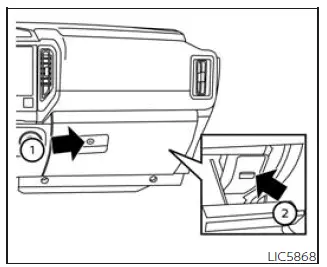
The extended storage switch in the Nissan Frontier is primarily intended for vehicle transportation and long-term storage situations. This switch is located within the fuse panel behind the glove box and helps manage electrical system operation while the vehicle is being shipped or stored.
To access the switch, open the glove box 1 located on the instrument panel and then remove or open the fuse panel cover 2. Once exposed, the extended storage switch can be inspected or adjusted if necessary.
If certain electrical systems or accessories in the Nissan Frontier fail to operate as expected, verify that the extended storage switch is fully pushed into the ON position. A partially disengaged switch may interrupt power to selected vehicle systems and create the appearance of an electrical malfunction.
The Nissan Frontier extended storage switch is designed to simplify vehicle transport while helping preserve battery condition during extended periods of inactivity.
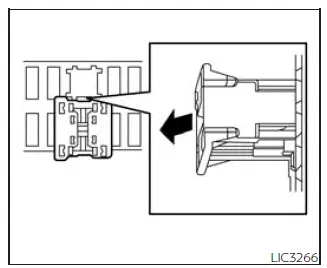
Pulled position
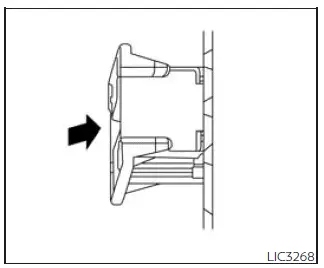
Pushed position





