



Nissan Frontier: Instruments and Controls - Security Systems
Basic Information
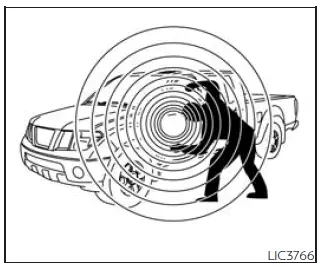
Your Nissan Frontier may be equipped with two separate security technologies designed to help protect the vehicle against unauthorized use and theft:
- Vehicle Security System (if equipped)
- NISSAN Vehicle Immobilizer System
Basic Information
The Nissan Frontier Vehicle Security System is designed to provide both visual and audible warning signals if an unauthorized person attempts to enter the vehicle while the system is armed.
Unlike motion-sensing alarm systems, this security feature does not activate simply because the vehicle is moved or subjected to vibration. Instead, it focuses on unauthorized entry through the vehicle's doors.
While the Nissan Frontier security system can help discourage theft attempts, no security device can completely eliminate the possibility of vehicle theft or vandalism. For this reason, drivers should always take sensible precautions whenever leaving the vehicle unattended.
Even during short stops, always lock the Nissan Frontier, remove the Intelligent Key, and avoid leaving valuables visible inside the cabin.
Whenever possible, park in well-lit locations, secure parking facilities, or areas with regular pedestrian activity.
Additional anti-theft products such as wheel locks, tracking devices, vehicle identification systems, and component security devices are available from automotive retailers and specialty shops. Your authorized NISSAN dealer may also offer additional protection options suitable for your Nissan Frontier.
Some insurance providers may offer premium discounts for vehicles equipped with approved anti-theft technologies. Contact your insurance company for specific details.
Vehicle Security System
How to Arm the Vehicle Security System
1. Close all windows. The Nissan Frontier security system can still be armed even if one or more windows remain open.
2. Remove the Intelligent Key from the vehicle.
3. Close and secure all doors. The doors can be locked using the power door lock switch, provided the locking procedure is performed correctly, or by using the Intelligent Key key fob.
Key fob operation:
- Press the
 button on the Nissan Frontier key fob. All doors will lock automatically. The hazard warning lights flash
twice and the horn sounds once to confirm that the vehicle has been secured.
button on the Nissan Frontier key fob. All doors will lock automatically. The hazard warning lights flash
twice and the horn sounds once to confirm that the vehicle has been secured.
- When the
 button is pressed while all doors are already locked, the hazard lights flash twice and the horn may sound
once as a reminder that the Nissan Frontier is already secured.
button is pressed while all doors are already locked, the hazard lights flash twice and the horn may sound
once as a reminder that the Nissan Frontier is already secured.
The horn confirmation feature may vary depending on vehicle settings and configuration.
4. Verify that the
 indicator light illuminates.
The
 indicator remains illuminated continuously for approximately 30 seconds. During this period, the Nissan Frontier
security system is in the pre-armed stage.
indicator remains illuminated continuously for approximately 30 seconds. During this period, the Nissan Frontier
security system is in the pre-armed stage.
After approximately 30 seconds, the system automatically transitions into the fully armed mode.
The
 indicator begins flashing approximately once every three seconds, confirming that the anti-theft system is fully
armed.
indicator begins flashing approximately once every three seconds, confirming that the anti-theft system is fully
armed.
If the driver's door is unlocked using the key fob or if the ignition switch is moved to the ACC or ON position during the pre-arm period, the Nissan Frontier security system will not arm.
- If the security indicator light does not illuminate as expected, unlock the Nissan Frontier once and repeat the locking procedure.
- The system can arm even when occupants remain inside the vehicle, provided all doors are closed, locked, and the ignition switch remains in the OFF position.
Vehicle Security System Activation
If the Nissan Frontier security system detects unauthorized entry while armed, the following alarm actions occur:
- The headlights flash repeatedly.
- The horn sounds intermittently to attract attention and discourage unauthorized access.
- The alarm automatically stops after a period of time. However, if additional tampering occurs, the Nissan Frontier alarm system may activate again.
- The alarm can be canceled by unlocking the driver's door using the
 button on the Intelligent Key.
The security alarm may be triggered by:
- Opening a Nissan Frontier door without using the authorized Intelligent Key or key fob, even if the door was unlocked using an interior lock knob or power door lock switch.
How to Stop an Activated Alarm
If the Nissan Frontier alarm system has been activated, it can be stopped by pressing the

button on the Intelligent Key key fob.
NISSAN Vehicle Immobilizer System
Basic Information
The Nissan Frontier Vehicle Immobilizer System is designed to prevent the engine from starting unless a properly registered key is present.
This advanced anti-theft technology provides an additional layer of protection by electronically verifying key authorization before permitting engine operation.
If the Nissan Frontier engine does not start despite using a registered key, interference from other electronic devices may be affecting communication between the key and the vehicle.
Possible sources of interference include:
- Additional registered keys located nearby
- Electronic toll collection devices
- Automatic payment transponders
- Other radio-frequency devices attached to the same key ring
If interference is suspected, follow these procedures:
1. Leave the Nissan Frontier ignition switch in the ON position for approximately 5 seconds.
2. Turn the ignition switch to the OFF or LOCK position and wait approximately 10 seconds.
3. Repeat steps 1 and 2.
4. Attempt to restart the Nissan Frontier while keeping any potentially interfering devices separated from the registered key.
If the problem continues, NISSAN recommends carrying the registered key on a separate key ring away from other electronic devices.
FCC Notice:
For USA:
This device complies with Part 15 of the FCC Rules. Operation is subject to the following two conditions: (1) this device may not cause harmful interference, and (2) this device must accept any interference received, including interference that may cause undesired operation.
NOTE:
Changes or modifications not expressly approved by the party responsible for compliance could void the user's authority to operate the equipment.
For Canada:
This device contains licence-exempt transmitter(s) and/or receiver(s) that comply with Innovation, Science and Economic Development Canada licence-exempt RSS standards. Operation is subject to the following two conditions: (1) this device may not cause interference, and (2) this device must accept any interference received, including interference that may cause undesired operation.
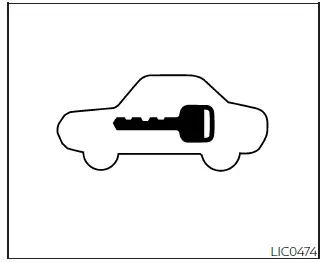
Security Indicator Light
This Nissan Frontier security indicator light flashes whenever the ignition switch is placed in the LOCK position.
The flashing light confirms that the NISSAN Vehicle Immobilizer System is active and functioning normally.
If the immobilizer system develops a malfunction, the security indicator light may remain illuminated continuously while the ignition switch is in the ON position.
If the security indicator light remains illuminated and/or the Nissan Frontier engine fails to start, have the NISSAN Vehicle Immobilizer System inspected as soon as possible.
Bring all registered Nissan Frontier keys with you when visiting a service facility. It is recommended that you visit an authorized NISSAN dealer for diagnosis and repair.
Understanding and properly using the Nissan Frontier security systems can help improve vehicle protection, reduce theft risk, and ensure reliable operation of both the anti-theft alarm and immobilizer systems throughout the life of the vehicle.





