



Nissan Frontier: Instruments and Controls - Vehicle Dynamic Control (VDC) OFF Switch
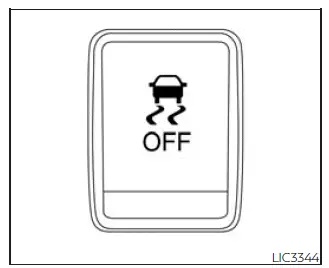
The Nissan Frontier Vehicle Dynamic Control (VDC) system is designed to help improve vehicle stability, traction, and directional control during a variety of driving situations.
For most everyday driving conditions, Nissan recommends operating the Frontier with the VDC system enabled.
The system continuously monitors wheel speed, steering input, and vehicle movement to help reduce wheel slip and improve overall handling performance.
However, under certain conditions such as deep mud, loose sand, or heavy snow, the Nissan Frontier VDC system may reduce engine output in an effort to minimize wheel spin.
When maximum engine power is required to free a stuck vehicle, temporarily disabling the VDC system may be beneficial.
To switch the Nissan Frontier VDC system off, press the VDC OFF switch.
The
 indicator light will illuminate in the instrument cluster, confirming that the system has been deactivated.
To restore normal operation, press the VDC OFF switch again or restart the Nissan Frontier engine. The system will automatically return to normal operation.
Drivers should remember that disabling VDC reduces electronic stability assistance and should only be done when conditions specifically require additional wheel spin.





