



Nissan Frontier: Instruments and Controls - Warning systems switch
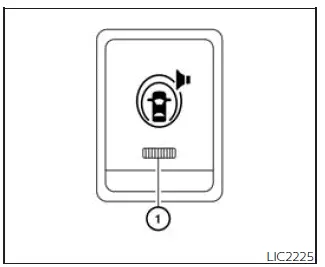
The warning systems switch in the Nissan Frontier is used to enable or disable selected driver-assistance warning features that are first activated through the Settings menu in the vehicle information display:
- Blind Spot Warning (BSW)
- Lane Departure Warning (LDW)
When the warning systems switch is turned off, the indicator 1 on the switch also turns off. This indicator will remain off as well if all related warning systems have been deactivated through the settings menu in the Nissan Frontier vehicle information display.
The BSW system helps alert the driver when the radar sensors detect another vehicle in the monitored detection zone. In this case, the side indicator lights near the outside mirrors illuminate. If the turn signal is then activated toward the side where the vehicle has been detected, a chime sounds twice and the side indicator light flashes to draw the driver's attention.
The LDW system is designed to warn the driver when the Nissan Frontier begins to travel too close to the left or right side of a lane with detectable lane markings. The system may sound an audible warning, vibrate the steering wheel, and cause the orange LDW indicator to blink, helping the driver respond before the vehicle unintentionally moves farther from its lane.





