
Ford Focus Owners Manual: Audio control
Select radio, CD or cassette mode on the audio unit.
The following functions can be operated with the remote control:
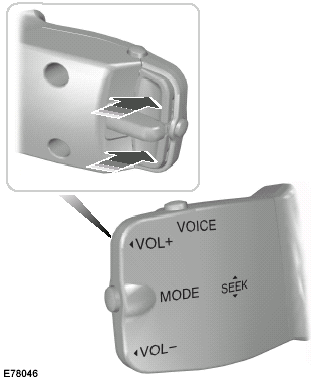
Volume
Volume up: Press the top button on the back of the remote control.
Volume down: Press the bottom button on the back of the remote control.
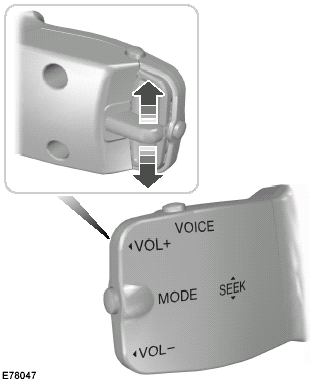
Seek
Move the lever up or down:
• In radio mode
, this will locate the next radio station up or down the frequency band.
• In CD mode
, it will select the next or previous track.
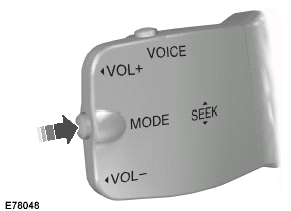
Mode
Briefly press the button on the side:
• In radio mode
, this will locate the next pre-set radio station.
• In CD mode
, this will select the next CD if a CD changer is fitted.
• In all modes
to abort a traffic message during broadcasting.
Press and hold the button on the side:
• In radio mode
to change the waveband.
 Adjusting the steering wheel
WARNING:
Never adjust the steering wheel
when the vehicle is moving.
Note: Make sure that you are sitting in
the correct position. See Sitting in the
correct position.
WARNING:
Make sur ...
 Voice control
Voice control
To select or deselect voice control, press
the button on the top.
For further information See Voice
control. ...
More about Ford Focus:
Ford Focus Seat Backrest Cover - Front
Removal and Installation
WARNING: Never
probe the electrical connectors on air bag, Safety Canopy® or side air curtain modules.
Failure to follow this instruction may result in the accidental deployment of these
modules, which increases the risk of serious personal injury or death.
WARNIN ...
Nissan Frontier - Instrument Panel - Keys - Brake system
