
Ford Focus Owners Manual: Using cruise control
WARNING:
Do not use cruise control in heavy traffic, on twisty roads or when the road surface is slippery.
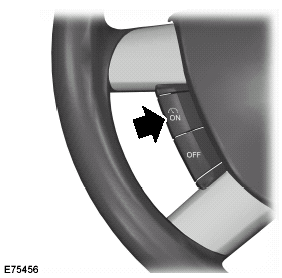
Switching cruise control on
Note: The system is ready for you to set a speed.
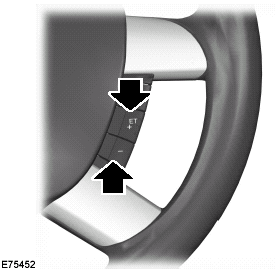
Setting a speed
Press to store and maintain your current speed. The cruise control indicator will illuminate. See Warning lamps and indicators.
Changing the set speed
WARNING:
When you are going downhill, your speed may increase above the set speed. The system will not apply the brakes. Change down a gear and press the SET- switch to assist the system in maintaining the set speed.
Note: If you accelerate by pressing the accelerator pedal, the set speed will not change. When you release the accelerator pedal, you will return to the speed that you previously set.
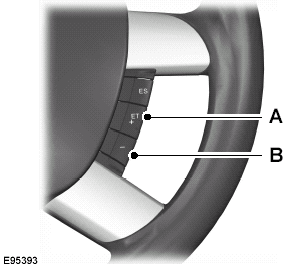
Accelerate A
Decelerate B
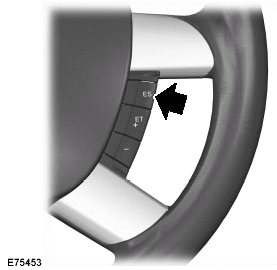
Cancelling the set speed
Press the brake pedal or the RES switch.
Note: The system will no longer control your speed. The cruise control indicator will not illuminate but the system will retain the speed that you previously set.
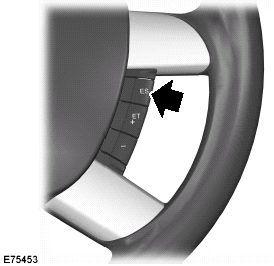
Resuming the set speed
The cruise control indicator will illuminate and the system will attempt to resume the speed that you previously set.
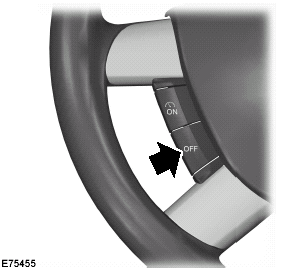
Switching cruise control off
The system will not retain the speed that you previously set. The cruise control indicator will not illuminate.
 Principle of operation
Cruise control allows you to control your
speed using the switches on the steering
wheel. You can use cruise control when
you exceed approximately 30 km/h (20
mph). ...
 Load carrying
...
More about Ford Focus:
Ford Focus Starting System - Description and Operation
The starting system consists of the following:
Starter motor
Starter motor relay
Transmission Range (TR) sensor — automatic transaxle only
Clutch cutoff switch — manual transaxle only
Battery
Ignition switch
PCM
Start diode
When the starter solenoid is energized, a ...
Nissan Frontier - Instrument Panel - Keys - Brake system
